
Looking for a convenient way to add funds to your Canadian PlayStation account? The PlayStation Store Gift Card 50 CAD (Canada) is a prepaid gift card with a stated value of 50 Canadian dollars, intended for compatible Canada-region PlayStation Network accounts. It gives eligible players a way to add wallet funds and use them toward supported digital purchases from the Canadian PlayStation Store.
At BuyPsnCardBD, customers in Bangladesh can explore digital gaming products and gift card options for compatible accounts. Whether you are planning to purchase a new game, expand your favourite title with downloadable content, or save wallet funds for a future purchase, this denomination may suit your gaming budget.
Before ordering, make sure your PlayStation Network account is registered to Canada. PlayStation gift cards are region-specific, and a Canadian code generally cannot be redeemed on an account registered to another country or region. Checking this detail before payment can help you avoid an incompatible purchase.
What Is a PlayStation Store Gift Card 50 CAD?
A PlayStation Store gift card is a prepaid code that can be redeemed through an official PlayStation redemption method to add funds to an eligible account’s wallet. This product has a stated value of 50 Canadian dollars (CAD) and is intended for use with a compatible Canadian PlayStation Store account.
After successful redemption, the wallet balance can be used for eligible purchases offered in that regional store, subject to PlayStation’s current terms, pricing, and account requirements.
Depending on availability and regional restrictions, wallet funds may be used for:
- Digital PlayStation games: Purchase eligible games listed in the Canadian PlayStation Store.
- Downloadable content: Access supported game expansions, additional missions, maps, character packs, and other DLC.
- In-game content: Buy eligible add-ons, virtual currency, and other digital items offered through the store.
- Selected digital products: Pay for other eligible content available to your account.
- Eligible subscriptions: Wallet funds may be usable for supported subscription purchases where permitted, although additional payment requirements can apply.
The exact products available to you depend on the Canadian Store catalogue, your account, and the terms in effect when you make a purchase. The gift card does not guarantee that a particular game, subscription, or promotion will be available.
Why Choose the 50 CAD Denomination?
The 50 CAD option gives you a larger prepaid balance than smaller denominations, which can be helpful when planning several eligible purchases or budgeting for a particular game.
More flexibility for digital purchases
A 50 Canadian dollar wallet top-up can provide funds for eligible games, downloadable content, and other supported items. The amount you can purchase depends on current store prices, applicable taxes, discounts, and your existing wallet balance.
A convenient prepaid option
Once the code has been redeemed successfully, eligible purchases can be paid for using your wallet balance without entering bank card details for each transaction. If a purchase exceeds the available balance, PlayStation may require another accepted payment method.
Designed for compatible Canadian accounts
This product is intended for accounts using the Canadian PlayStation Store. Your account’s registered region is the key compatibility factor; simply living in Bangladesh does not make a Canadian gift card compatible with every account.
Suitable for gifting
A PlayStation gift card can be a thoughtful digital gaming gift for someone who uses a compatible Canadian account. Before purchasing for another person, confirm their account region and the denomination they need.
Buy PlayStation Store Gift Card 50 CAD in Bangladesh
For customers in Bangladesh, purchasing digital gaming products online can be a convenient alternative to searching for a physical gift card. BuyPsnCardBD provides a place to explore PlayStation gift card options for different denominations and regions.
Before completing your order, review the product details, displayed price, delivery information, and applicable terms. Check that the selected product specifically says 50 CAD (Canada). Canadian dollars are different from US dollars, and gift cards issued for different PlayStation Store regions are not automatically interchangeable.
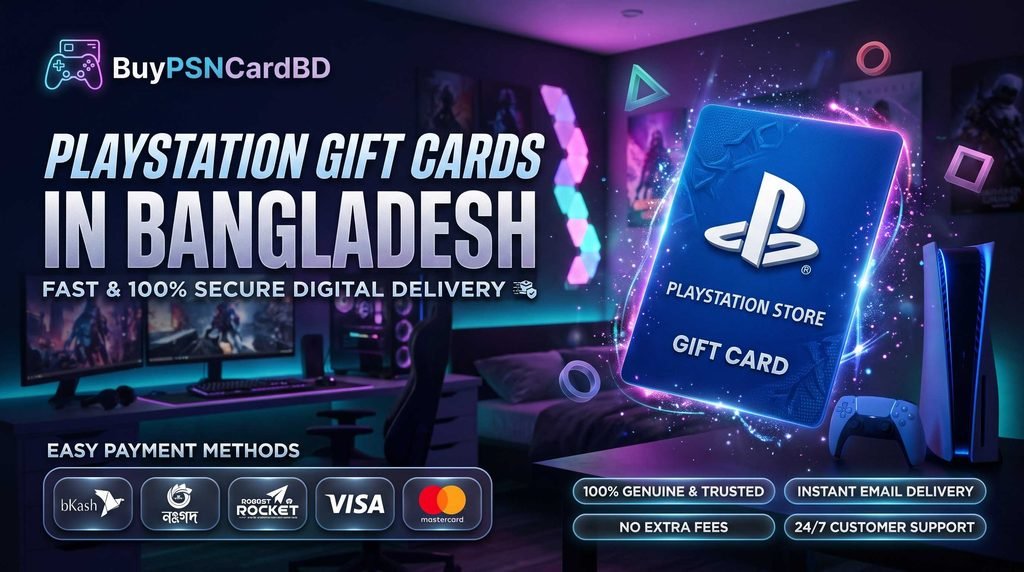
Local payment options: bKash, Nagad, and Rocket
Customers in Bangladesh commonly use mobile financial services for online transactions. Depending on the payment methods currently enabled at BuyPsnCardBD checkout, available options may include:
- bKash — a familiar mobile financial service for many customers in Bangladesh.
- Nagad — another local digital payment option, where supported.
- Rocket — a mobile banking service that may be available depending on the store’s current checkout setup.
Please check the checkout page to confirm which payment methods are currently accepted for this product. Availability should not be assumed until it is displayed during checkout.
Before paying, verify the final payable amount and follow the instructions provided for your selected payment method. Keep your transaction reference and order confirmation until the order has been completed. If you need help, contact BuyPsnCardBD through its published support channel.
Never share your PlayStation password, one-time login codes, or other sensitive account credentials when making a purchase.
Important: Confirm Your PSN Account Region
A Canadian PlayStation gift card is generally intended for a Canadian PlayStation Network account.
This matters even if you are purchasing from Bangladesh. Your physical location and your PlayStation account’s registered country or region are not necessarily the same.
Before buying, check these details:
- Account country or region: Confirm that your account is registered to Canada.
- Gift card currency: Make sure the product is denominated in Canadian dollars (CAD).
- Denomination: Verify that you selected the 50 CAD option.
- Redemption requirements: Review the official PlayStation guidance applicable to your account.
- Seller terms: Read the current product, payment, delivery, and support information before placing your order.
PlayStation may restrict changes to an account’s registered country or region. Do not assume that you can change an existing account’s region simply to redeem a Canadian gift card.
How to Redeem Your PlayStation Store Gift Card 50 CAD
Once you receive your code, redeem it through an official PlayStation method while signed in to the compatible Canadian account. The exact menu layout may vary depending on your console, app version, or browser interface.
Redeem on PlayStation 5 (PS5)
- Sign in to the PlayStation Network account registered to Canada.
- Open the PlayStation Store.
- Locate the option to redeem a code in the store menu.
- Enter your gift card code carefully.
- Review the displayed information and confirm the redemption if everything is correct.
- Check your wallet balance to confirm that the funds have been added.
Redeem on PlayStation 4 (PS4)
- Sign in to your compatible Canadian PlayStation Network account.
- Open the PlayStation Store.
- Find the code redemption option in the store menu.
- Enter the code exactly as provided.
- Follow the on-screen instructions to finish the process.
- Check your wallet balance after redemption.
Redeem through the PlayStation App or website
If code redemption is supported through your current PlayStation App or browser interface, sign in to the correct account and open the official PlayStation Store redemption feature. Enter the code and follow the instructions shown on screen.
Keep your gift card code private. Only enter it through an official PlayStation redemption interface. Avoid posting it publicly or sending it to unknown individuals. A code that has already been redeemed may no longer be usable by someone else.
What Can You Purchase with 50 CAD?
The value of your wallet balance depends on current Canadian PlayStation Store prices, applicable taxes, discounts, and the products you select.
You may be able to use the balance toward eligible games, DLC, in-game content, and other supported digital purchases. If an item costs more than the available wallet funds, another accepted payment method may be required to cover the difference. If an item costs less, any remaining wallet balance generally stays available for future eligible purchases, subject to PlayStation’s terms.
If you are purchasing the card for a particular game, check that game’s current Canadian Store price first. Prices and promotional offers can change, so do not rely on an old price or assume that every title will fit within the same denomination.
A gift card also does not guarantee access to region-restricted content, discounted offers, or subscription services. Check the details shown in your own Canadian PlayStation Store before making a purchase.
How to Avoid Common Redemption Problems
The code is not accepted
Check that you entered the code correctly and that it has not already been redeemed. Confirm that you are signed in to the intended Canadian account and review any error message displayed by PlayStation. If the problem persists, consult official PlayStation support and retain your purchase confirmation.
My account is registered to another region
A Canadian gift card may not work with an account registered to the United States, the United Kingdom, or another region. The denomination alone does not determine compatibility. Confirm the account region before buying.
My wallet balance has not updated
Review the redemption confirmation and check your wallet balance again. If the code was accepted but the balance still appears incorrect, contact official PlayStation support for account-specific assistance. Keep your order details available in case you also need help from the seller.
I selected the wrong denomination
Review the order information and contact the seller through its published support channel. Any change, cancellation, refund, or exchange depends on the seller’s current terms and the status of the code. Confirming the denomination before payment is the best way to avoid this issue.
I paid but need help with my order
Keep your payment reference and order confirmation. Contact BuyPsnCardBD through its published support channel and explain the issue clearly. Do not send your account password or one-time authentication codes.
Frequently Asked Questions
1. What is the PlayStation Store Gift Card 50 CAD (Canada)?
It is a prepaid gift card with a stated value of 50 Canadian dollars, intended for redemption on a compatible Canadian PlayStation Network account.
2. Can I purchase this gift card from Bangladesh?
You can check the current BuyPsnCardBD product listing for availability, price, delivery information, and supported checkout methods. Make sure the Canadian region matches your PlayStation account before purchasing.
3. Will this gift card work on a US PSN account?
Generally, no. Canadian PlayStation gift cards are intended for compatible Canadian accounts. Check the official PlayStation redemption requirements before buying a card for any region.
4. Can I pay using bKash, Nagad, or Rocket?
These are local payment services familiar to many customers in Bangladesh. Whether they are available for this particular order depends on the methods currently enabled by BuyPsnCardBD. Confirm the available options at checkout.
5. Does the card add 50 CAD to my PlayStation wallet?
The card’s stated denomination is 50 Canadian dollars. Successful redemption depends on the code being valid, unused, and compatible with your account. Follow the official redemption process and verify the wallet balance afterward.
6. Can I use the funds to buy games?
Wallet funds can generally be used for eligible digital purchases in the matching regional PlayStation Store. Product availability, prices, taxes, and additional payment requirements vary.
7. Can I use this gift card for PlayStation Plus?
Wallet funds may be usable toward eligible subscription purchases where supported. Subscription terms, renewal conditions, and additional payment requirements can vary, so review the current Canadian PlayStation Store information before relying on wallet funds for a subscription.
8. Can I use it if I live in Bangladesh?
Your physical location alone does not determine compatibility. If you live in Bangladesh and have a compatible Canadian PlayStation Network account, the card may be suitable, subject to the official redemption requirements.
9. Does the gift card expire?
Expiry and redemption conditions may depend on the applicable product terms and rules. Check the information supplied with your code and the official PlayStation guidance rather than assuming all gift cards have identical conditions.
10. Is the product a physical card or a digital code?
Check the current BuyPsnCardBD product listing and delivery details to confirm the fulfilment format. The actual delivery method should be the one stated on the product page.
11. What should I do if the code does not work?
Confirm that you entered the code correctly, have not already redeemed it, and are signed in to a compatible Canadian account. If the issue remains, consult official PlayStation support and retain your purchase confirmation for any follow-up with the seller.
12. Can I use the card for every game in the Canadian Store?
No gift card guarantees access to every game or digital product. Availability depends on the regional catalogue, age restrictions, account eligibility, current pricing, and other applicable store conditions.
Order the Right Canadian PlayStation Gift Card
The PlayStation Store Gift Card 50 CAD (Canada) is designed for players who want a 50 Canadian dollar wallet top-up for a compatible Canadian PlayStation Network account. For customers in Bangladesh, the most important steps are to confirm the account region, check the product denomination, review the current price and payment methods, and understand the redemption requirements before paying.
Visit BuyPsnCardBD to review the current product information and determine whether this denomination suits your account and intended purchase. Once you receive the code, redeem it through an official PlayStation method and keep your transaction confirmation for your records.
PlayStation and PlayStation Store are trademarks of their respective owners. BuyPsnCardBD is an independent seller and is not represented as an official Sony or PlayStation website. Availability, payment methods, delivery arrangements, and redemption conditions are subject to the applicable terms.
Reviews
There are no reviews yet.